 IsoCity
Build your first road and residential zone.
Start small: place a short road, add a residential zone next to it, and keep an eye on your funds. You can pause the city while you plan.
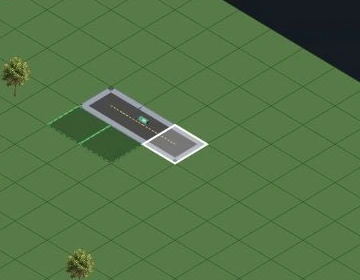
Start a new city
Open Play, then choose New city. If you already have a city, save it in Settings before starting another.
Pause and find the road tool
Use the pause control at the top. On desktop, choose Road from Tools on the left. On a phone, open the bottom toolbar and choose the road tool.
Lay a short road
Click an empty land tile to place one road tile. Repeat on neighboring tiles to form a short stretch. On a phone, tap the tiles after selecting the tool.
Add a residential zone
Choose Residential under Zones, then select land beside your road. A zone reserves land for development; it is not an instant completed house.
Resume and watch
Resume the simulation when you are ready. Watch the budget and demand indicators before expanding. Building placement alone does not guarantee population growth.
Save before you leave
Open Settings and save the named city. Wait for City Saved! before leaving. Export a separate backup for anything you want to keep.
Scope: independent edition based on upstream b774dd7. Steps checked: 5 November 2026.
Try it in your city →